
Document Information
On this page
1.1 Introducing CREVIA
CREVIA V11 is a credential lifecycle management platform for credential design, identity data management, and credential production. It brings layout design, data connections, personnel records, production previews, print control, and optional RFID encoding into a single workflow.
A typical workflow is:
- Design a credential layout in Credential Design & Policy Studio, and configure its data source, dynamic fields, and business policies.
- Open the layout in Credential Operations Console to view or maintain personnel records and check the credential preview.
- Print the current record, process records sequentially or in batches, or use imposition printing. Where required, combine production with RFID encoding.
Typical applications include employee badges, visitor passes, student cards, event credentials, membership cards, and other personalized credentials. Available functions depend on the installed components, connected equipment, and current license edition.
1.2 Product Version and License Editions
This guide applies to CREVIA V11. Interface names and descriptions refer to the current software version. Later updates may change layouts, option names, or command locations.
Before using a function, check the license status and edition in About.
| Edition | Scope |
|---|---|
| Trial | Use within the trial period and the functions permitted by the issued trial license. |
| Basic | Static credential design and basic output; excludes database-driven dynamic data management. |
| Standard | Databases, dynamic elements, batch printing, automatic numbering, and basic RFID workflows. |
| Advanced | Adds external interfaces, preset drop-down lists, triggers, and reporting to Standard. |
| Professional | Adds imposition, automatic printing, batch import/export, and batch photo processing to Advanced. |
A command may be hidden or unavailable because the edition excludes it, the current user lacks permission, the loaded layout does not support it, or a required data source or device has not been configured.
1.3 Readers and Roles
| Role | Main responsibility | Suggested reading |
|---|---|---|
| Layout designer | Design credentials, bind dynamic objects, connect data, publish layouts | Chapter 4: CDPS, data sources, publishing and synchronization. |
| Data administrator | Browse, query, add, edit, and delete records | Chapter 5: COC, browsing and personnel management. |
| Production operator | Preview credentials, select records, print, and encode RFID | Chapter 5: preview, printing, and imposition. |
| System administrator | Manage users, permissions, licenses, deployment, updates, and backups | License information, access control, and Chapter 6. |
| Technical support | Diagnose environment, data source, license, printing, and update problems | Chapter 6 and Chapter 7: Troubleshooting. |
If one person performs several roles, follow the actual workflow: prepare the system and license, design or load a layout, connect the data, maintain records, and then produce credentials.
1.4 Conventions, Icons, and Terminology
Document Conventions
| Notation | Meaning |
|---|---|
| Bold | A button, menu, window, or important action. |
Monospace |
A filename, directory, field, setting, or technical identifier. |
| "Quoted text" | A displayed label, option, or message. |
| Note | A prerequisite, limitation, or action that may affect existing data. |
| Tip | Additional guidance for understanding a function or working efficiently. |
Common Terms
| Term | Meaning |
|---|---|
| Layout | The credential design file defining size, front/back, objects, data bindings, and output settings. |
| Static element | A fixed object, such as a title, logo, or shape. |
| Dynamic element | An object that changes with the record, such as a name, photo, barcode, or generated number. |
| Data source | A database, file, or other connection supplying records to the layout or COC. |
| SQL | A query used to retrieve relational database data. |
| User Group SQL | A query defined for a user group; valid group settings can take priority over the layout's main SQL. |
| Credential record | Data for a person, visitor, student, or other business entity used to generate credentials. |
| Credential production | Combining records with a layout for previewing, printing, or encoding. |
| Imposition | Arranging multiple credentials on one output page, in two-up or row-and-column form. |
| RFID encoding | Writing data to supported RFID media, optionally as part of printing. |
Note: Field names, table names, SQL, layout files, and license files are business or system data. Do not modify, move, or delete them unless the procedure explicitly requires it.
1.5 Software Components
| Program | Abbreviation | Purpose |
|---|---|---|
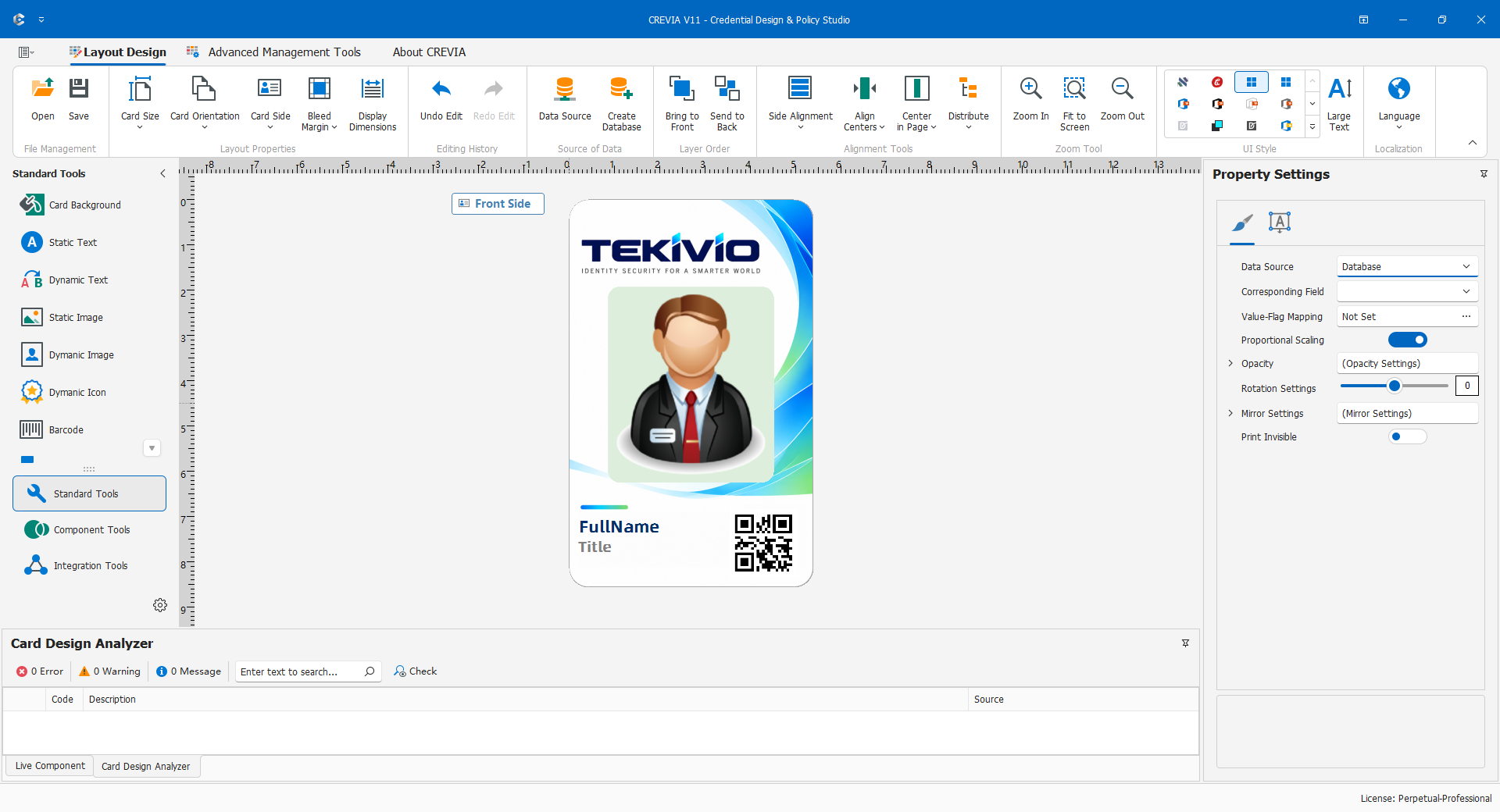
| Credential Design & Policy Studio | CDPS | Design layouts and configure data, dynamic elements, interfaces, reports, and user policies. |
| Credential Operations Console | COC | Load layouts; browse, maintain, preview, print, import/export, and process records. |
| CREVIAUpdata | Update utility | Check for, download, and install CREVIA updates. |
CDPS handles design and configuration; COC handles data and production. Normally, complete the layout and data source in CDPS before loading it into COC for everyday production.
Deployment may also require database drivers, printers, RFID devices, photo capture devices, or external interfaces. Installation and activation depend on the project configuration and licensed functions.
References
- Tekivio CREVIA V11 product page: public product positioning, CDPS/COC overviews, and supported data source information.