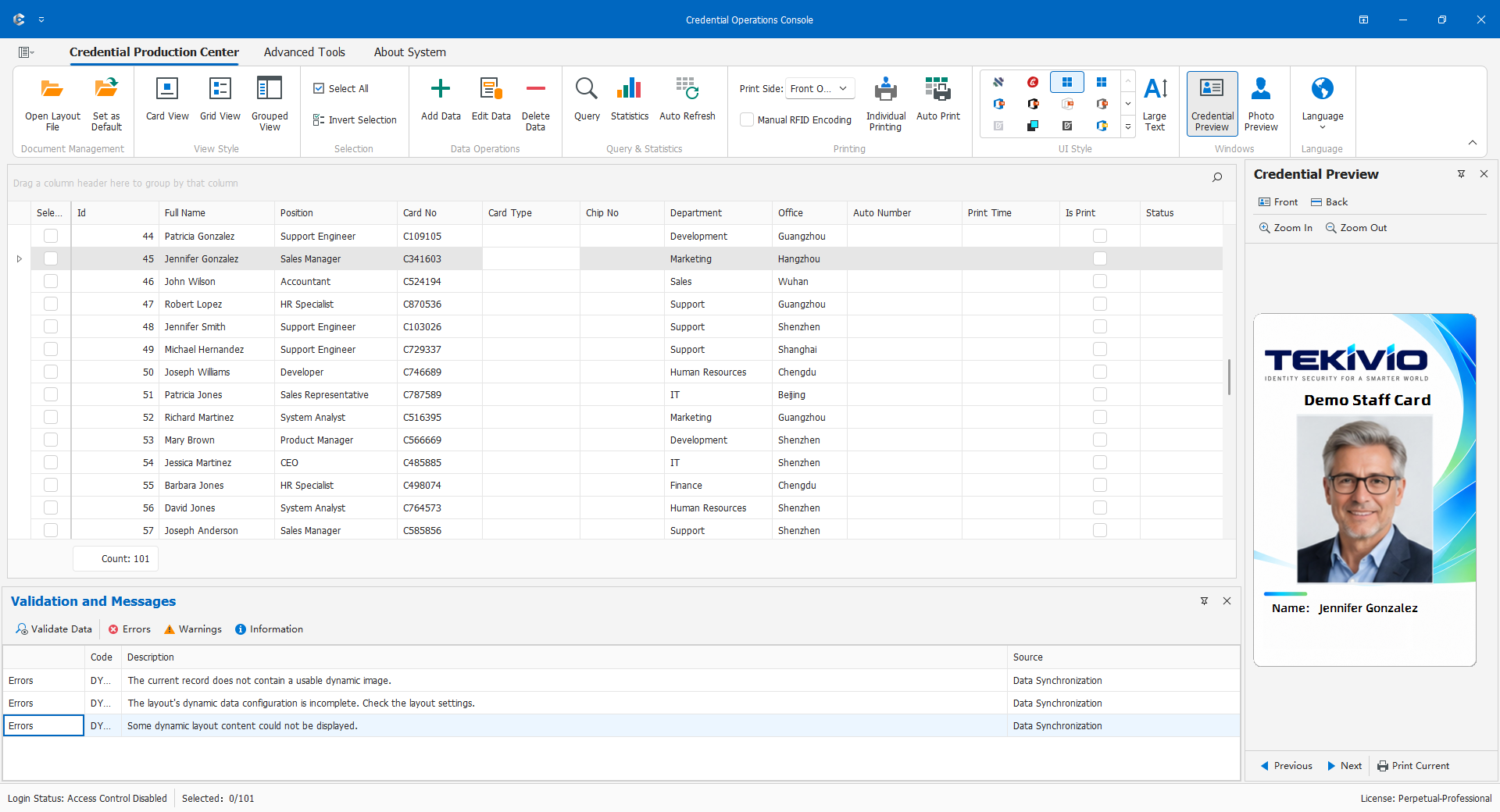
Credential Operations Console
Credential Operations Console (COC) maintains personnel records, manages photos, queries data, and produces credentials using published layouts. CDPS defines dimensions, bindings, components, reports, and access policies; COC applies them in daily work and is not a card-design editor.
This chapter is for data-entry, production, review, and administration staff. Obtain the approved layout or synchronization configuration and verify licensing, database access, and printing. Use your own business account where access control applies.
- Open the correct production project and confirm its title, identity, and data scope.
- Search before adding a person to avoid duplicate records.
- Confirm the photo source, owner, and quality; load, capture, or adjust if necessary.
- Check required fields, categories, identifiers, and photo; save and reread.
- Verify the current person, front/back, codes, and output method; test one card before a batch.
- Reconcile physical output, database updates, and handover. Submission to a printer is not proof of collection by the recipient.
First complete one record through 5.1-5.4, then use single-record output in 5.6. Configure import, automatic printing, imposition, and RFID only after the basic workflow is validated. Reports and restrictions are in 5.8 and 5.9.
All people, numbers, paths, and parameters below are fictitious examples, not universal production defaults. Available entries depend on layout, license, role, and equipment.